1. Text alignment
There are four common types of alignment when dealing with text placement:
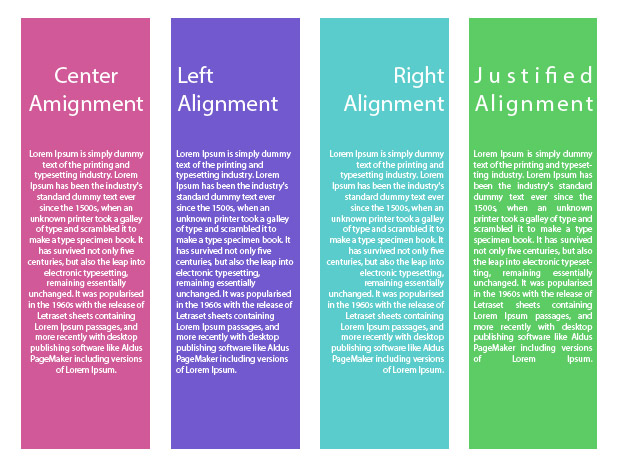
- Centered (not good for a body text)
- Flush Left
- Flush Right
- Justified (not all programs do a good job)
Cellphone - alignment problems
Each software has text alignment features in Paragraph and Control panel
2. InDesign Paragraph panel
Working with text alignment; Hyphenation
3. Type Classifications
Materials of Week 1 repetition
4. Work in class on
TYPOGRAPHY BOOKLET PROJECT
-
Alignment (Page 6)
-
Type classification (Page 7)
STUDY
Typography
- Class materials
- Article
The Key Elements of a Magazine Layout
LEARN INDESIGN
Learn and practice InDesign
-
InDesign drop cap
-
Placing Images, Scale, Rotation, Resolution & Custom Shapes
-
Text wrap around shapes and objects
-
Wrap Text Around Image Edges
-
Subject Aware Text Wrap
- Article
Wrap text around objects
DO & SUBMIT
Typography Booklet Project
Work on and submit:
-
Classifications of serif fonts (Pages 8, 9, 10, 11)
Note: See Week one, 8/31 class work: Serif classifications
-
Sans Serif text (Page 12)
-
Magazine page: headline, body text, drop cap, pull-quote, image (Pages 13)
Create similar to my example design, but work with your subject. You have to put there headline, body copy, drop cap, pull-quote, image (wrap it).
